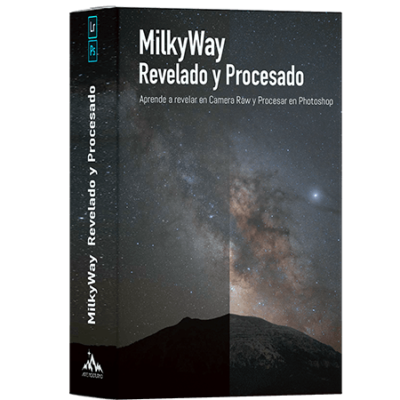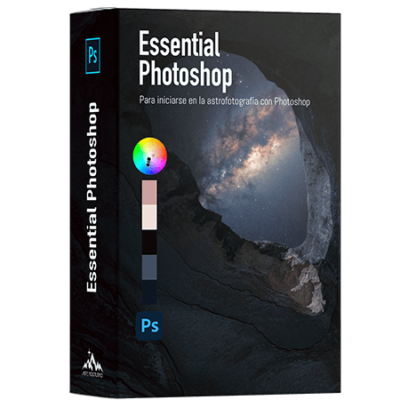

Descripción
Here is the updated full text. I have integrated the Planning (planit Pro) and the Capture/Stacking Initially, as they are the essential basis before editing, maintaining the strength of the editing modules.
The Essentials – Astro Landscape
General Description
In this comprehensive course, we'll move from intuition to precision, covering the full cycle from the night landscape with a wide-angle lens. From planning at home to the final export adjustment.
Many believe that to achieve professional results, they need tracking mounts.Star Trackers), but here I will show you that you can achieve clean and impactful images using only your tripod and your camera.
You will learn to plan your outing with Planit Pro, to shoot using the technique of Stacking to break through ISO limitations, and to master a non-destructive editing workflow based on colour physics and expert histogram reading. We will combine pure manual technique with the efficiency of Art Panel Pro to optimise your time.
What do you aim to achieve on this course?
1. The Perfect Base: Planning, Capturing, and Stacking
Editing doesn't perform miracles if the source file isn't good. Quality starts here:
-
Planning Learn to use Planit Pro to anticipate the exact position of the Milky Way before leaving home.
-
Smart Capture Forget single shots. You'll learn to use the intervalometer to capture multiple exposures.
-
Stacking We will see how to merge those shots (with specialised software) to drastically reduce digital noise, achieving clean and sharp files impossible to obtain with a single shot.
2. Total Colour Dominance (Chrominance)
Forget automatic filters. You will understand the Additive Synthesis (RGB) and the Law of Opposites to win your daily battles:
3. The RAW Laboratory
Before Photoshop, you need to prepare the digital negative. You will learn to interpret the Histogram (the only tool that doesn't lie to you), to correct optical defects and to use the new Camera Raw Masks to balance the exposure of ground and sky before touching a single layer.
4. The Power of Masks and Selection
Discover the secret of local editing. You will learn to create and use:
-
Illuminating Masks To surgically select only the stars or the deep shadows.
-
Colour Masks To isolate nebulas or specific zones.
-
Bonus: You will see how to do all this manually and how to drastically speed it up with Art Panel Pro.
5. Precision Tools and Pro Flow
We will stop using global adjustments that «break» the photo. You will learn:
-
The Scalpel Precise use of Hue/Saturation, Selective Colour, and Colour Balance.
-
Non-Destructive Strategy How to separate frequencies between Sky and Ground, treating them as two independent canvases that join to form a perfect image.
Who is this course for?
-
Tripod and Wide-Angle Users Photographers who shoot in static mode (without a Star Tracker) and want to learn the technique of Stacked to reduce noise.
-
Photographers who want to control the entire process: from knowing where the Milky Way will appear (Planit Pro) to the final development.
-
Users who want to stop relying on presets and understand what are doing and Why.
-
Photographers looking to master the pure manual workflow of RAW development, but also to take advantage of the speed of professional tools like Art Panel Pro.